


| 免费用户福利小苹果影视 | 付费影视软件终极三版本 |
| 资源 | 配置地址 |
|---|---|
| 饭太硬 | www.饭太硬.net/tv |
| 摸鱼儿 | http://摸鱼儿.cc |
| 王二小 | new.王二小放牛娃.top |
| 肥猫 | http://肥猫.net/ |
| 潇洒 | cnb.cool/fish2018/xs/-/ |
| 小盒子4K | xhztv.top/4k.json |
| 老刘备 | raw.liucn.cc/box/m.json |
| 小马 | szyyds.cn/tv/x.json |
| 小盒子单仓 | xhztv.top/xhz |
| VOX | rihou.cc:88/demo.php |
| 嗷呜 | itv666.cc/aowu/config.w |
| 小盒子多仓 | xhztv.top/dc |
| 拾光多仓 | xmbjm.fh4u.org/dc.txt |
| 挺好分享多仓 | ztha.top/TVBox/GYCK.jso |
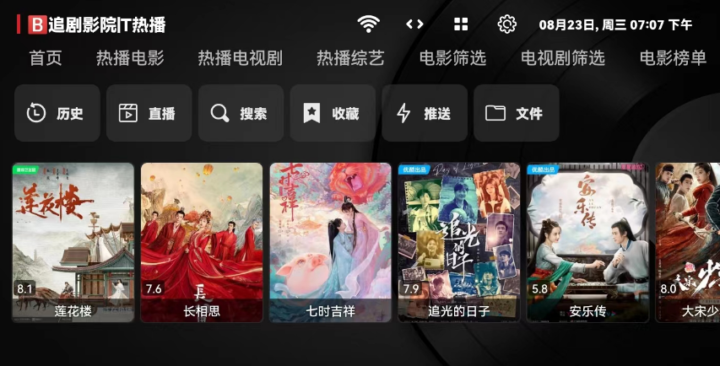
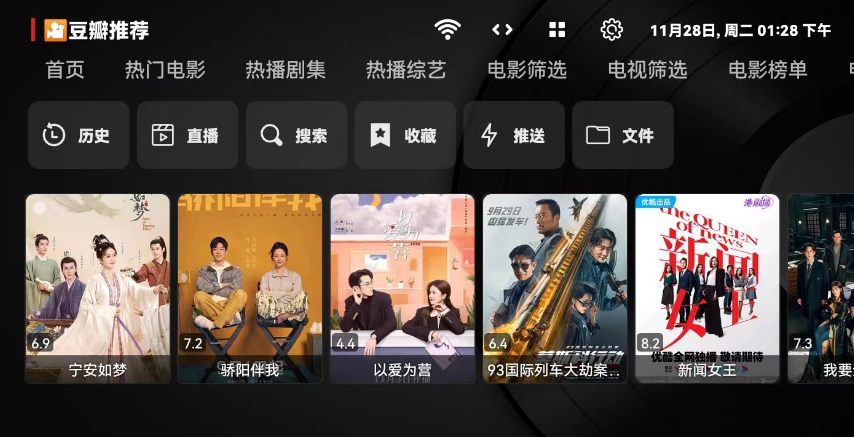
TVbox是大佬开发的一款影视开源软件,永久免费无广告,软件可以加载播放源接口数据,影视源规则由互联网用户编写分享,有各种各样丰富的影视源地址接口,用户可以使用不同的影视站资源,功能性非常强大!接下来小编就为大家带来tvbox2026最新配置接口分享以及使用教程!
TVBOX 源地址、直播源、多线路版地址
使用说明:线路分为单仓和多仓,请根据自己的需求选择。
以下是仓库和线路的地址,可以优先选择推荐的仓库,部分仓库里有些线路用不了,如果不能用请及时更换线路。仓库按需选择,不需要添加太多,仓库配置一到两个就够用了,否则软件加载速度会变慢,本篇文章会持续更新线路地址和直播源,适用于tvbox影视仓等等开源软件,只要可以添加配置接口地址的都可以加载出来,可以点赞或者收藏文章哦!

https://raw.fastgit.org/FongMi/CatVodSpider/main/json/config.json
http://home.jundie.top:81/top98.json
https://ghproxy.com/raw.githubusercontent.com/lm317379829/PyramidStore/pyramid/py.json
http://pandown.pro/tvbox/tvbox.json
https://notabug.org/imbig66/tv-spider-man/raw/master/%E9%85%8D%E7%BD%AE/0801.json
https://agit.ai/Yoursmile7/TVBox/raw/branch/master/XC.json
https://raw.githubusercontent.com/UndCover/PyramidStore/main/py.json
https://dxawi.github.io/0/0.json
https://kebedd69.github.io/TVbox-interface/py%E7%94%9C%E8%9C%9C.json
https://pastebin.com/raw/gtbKvnE1
https://pastebin.com/raw/sbPpDm9G
https://agit.ai/hu/hcr/raw/branch/master/MMM.txt
https://freed.yuanhsing.cf/TVBox/meowcf.json
https://raw.githubusercontent.com/YuanHsing/freed/master/TVBox/meow.json
https://freed.yuanhsing.cf/TVBox/meowcf.json
https://raw.liucn.cc/box/m.json
http://byyds.top/w.txt
https://www.cai512.eu.org/a.json
https://gitea.com/Yoursmile/TVBox/raw/branch/main/XC.json
https://gitea.com/nb/kls/raw/branch/master/a9.json
https://gitea.com/hfr1107/TVBox/raw/branch/main/sc.json
https://pastebin.com/raw/sbPpDm9G
https://kjsc0310.github.io/tvy/jk9.json
https://wds.ecsxs.com/223843.txt
https://dxawi.github.io/0/0.json
https://cn.kstore.space/download/2710/zn777/kaisu220821.txt
https://out.zxglife.top/down.php/5da920895444ba485dde96b5425b8a67.txt
https://try.gitea.io/zn777/yshz/raw/branch/main/gitea824.txt
https://pan.tenire.com/down.php/2664dabf44e1b55919f481903a178cba.txt
https://apis.fanyeyun.com/down.php/2664dabf44e1b55919f481903a178cba.txt
http://wp.anxwl.cn/down.php/5219c327b90a65fc2020c77ba6dc6911.txt
http://home.jundie.top:81/TVBox/yosakoi.json
http://s.nxw.so/vip
https://raw.liucn.cc/box/m.json
http://52bsj.vip:81/api/v3/file/get/29899/box2.json?sign=3cVyKZQr3lFAwdB3HK-A7h33e0MnmG6lLB9oWlvSNnM%3D%3A0
https://ghproxy.com/https://raw.githubusercontent.com/chengxueli818913/maoTV/main/44.txt
https://download.kstore.space/download/2863/01.txt
https://agit.ai/n/b/raw/branch/a/b/c.json
https://freed.yuanhsing.cf/TVBox/meowcf.json
https://cdn.staticaly.com/gh/XuQqu/PinkBird/main/normal.json
https://notabug.org/imbig66/tv-spider-man/raw/master/%E9%85%8D%E7%BD%AE/0801.json
https://ju.binghe.ga/4.txt
http://xn--4bra.live/gg.json
https://box.okeybox.top/tv/shyi.json
https://box.okeybox.top/tv/vyo2.json
https://box.okeybox.top/tv/5gup.json
https://box.okeybox.top/tv/fj0p.json
https://box.okeybox.top/tv/2wti.json
https://box.okeybox.top/tv/64u1.json
https://box.okeybox.top/tv/o5oh.json
https://box.okeybox.top/tv/iw3y.json
https://box.okeybox.top/tv/sx39.json
https://box.okeybox.top/tv/91qn.json
https://gitea.com/xyyx/TVBox/raw/branch/main/tv.json
https://gitea.com/kanwidgg/kankan/raw/branch/main/0821XC/XC.json
https://gitea.com/jiaojiao/jiaojiao/raw/branch/main/0821.json
https://gitea.com/kanwidgg/kankan/raw/branch/main/002-0821/gg.json
https://gitea.com/playgayme/boxRepository/raw/branch/main/TVBox/xzy.json
https://gitea.com/yuegu09/aziy/raw/branch/main/zi71501.json
https://gitea.com/hongdeng98/YH/raw/branch/main/Mao0820.json
https://gitee.com/wyy007cn/tv/raw/master/tv1.json
https://c1n.cn/2
https://maoys.c1n.cn
https://pastebin.com/raw/FuMsfJWw
https://tool.wotianna.com/mysjk.json
https://wds.ecsxs.com/213821.json
https://wds.ecsxs.com/212757.json
https://wds.ecsxs.com/213679.json
https://c1n.cn/cat
http://gg.gg/cccvvv
https://wds.ecsxs.com/213013.json
https://c1n.cn/mao
https://wds.ecsxs.com/216537.json
https://wds.ecsxs.com/213766.txt
https://wds.ecsxs.com/213313.json
https://liu673cn.github.io/box/m.json
http://xn--4bra.live/%E7%8C%AB
http://js.134584.xyz/json/pp87.json
http://52bsj.vip:98/wuai
https://gitee.com/jjjsndjdjjjjd/tv-storage/raw/master/tv.txt
https://wds.ecsxs.com/223843.txt
https://pastebin.com/raw/gtbKvnE1
https://gitcode.net/qq_26898231/TVBox/-/raw/main/tv.json
https://cdn.jsdelivr.net/gh/chengxueli818913/maoTV@main/44.txt
https://cdn.jsdelivr.net/gh/GaiVmao/dianshiyuan@main/yuan2.txt
http://miaotvs.cn/osc
https://raw.iqiq.io/liu673cn/box/main/m.json
FL接口:
http://shuyuan.miaogongzi.net/shuyuan/1663651243.txt
https://raw.iqiq.io/zhanghong1983/TVBOXZY/main/TVBOX/iqiqgr.json
kvymin:
https://agit.ai/kvymin/TV/raw/branch/master/Box.json
ABC线路:
https://agit.ai/n/b/raw/branch/a/b/c.json
TVBOX最新接口:
GitHub加速 公益接口 https://gh-proxy.com/https://raw.githubusercontent.com/keluo8824-cell/tvbox/refs/heads/main/xin.json
机缘接口 https://gh-proxy.com/https://raw.githubusercontent.com/keluo8824-cell/tvbox/refs/heads/main/yang.json
OK接口 https://gh-proxy.com/https://raw.githubusercontent.com/keluo8824-cell/tvbox/refs/heads/main/ok.json
巧记接口 https://gh-proxy.com/https://raw.githubusercontent.com/keluo8824-cell/tvbox/refs/heads/main/qiao.json
勇往影视接口 https://gh-proxy.com/https://raw.githubusercontent.com/keluo8824-cell/tvbox/refs/heads/main/yw.json
饭太硬接口 https://gh-proxy.com/https://raw.githubusercontent.com/keluo8824-cell/tvbox/refs/heads/main/fan.json
猫影视接口 https://gh-proxy.com/https://raw.githubusercontent.com/keluo8824-cell/tvbox/refs/heads/main/mao.json
菜妮丝接口 https://gh-proxy.com/https://raw.githubusercontent.com/keluo8824-cell/tvbox/refs/heads/main/cai.json
4K接口 https://gh-proxy.com/https://raw.githubusercontent.com/keluo8824-cell/tvbox/refs/heads/main/4k.json
天浪直播 https://gh-proxy.com/https://raw.githubusercontent.com/keluo8824-cell/tvbox/refs/heads/main/live.txt
今日直播 https://gh-proxy.com/https://raw.githubusercontent.com/keluo8824-cell/tvbox/refs/heads/main/live2.txt
99影院 https://gh-proxy.com/https://raw.githubusercontent.com/keluo8824-cell/tvbox/refs/heads/main/99.json
七星影仓 https://gh-proxy.com/https://raw.githubusercontent.com/keluo8824-cell/tvbox/refs/heads/main/7xin.json
讴歌线路 https://gh-proxy.com/https://raw.githubusercontent.com/keluo8824-cell/tvbox/refs/heads/main/oge.json
天微影线 https://gh-proxy.com/https://raw.githubusercontent.com/keluo8824-cell/tvbox/refs/heads/main/tw.json
摸鱼线路 https://gh-proxy.com/https://raw.githubusercontent.com/keluo8824-cell/tvbox/refs/heads/main/moyu.json
全能线路 https://gh-proxy.com/https://raw.githubusercontent.com/keluo8824-cell/tvbox/refs/heads/main/quan.json
直播配置接口地址:
z直播接口:
https://zzzzz.tv/tv/tv.txt
欧歌源平台:
http://tv.nxog.top/
V3TV源:
https://tvkj.top/tvlive.txt
野火接口:
https://pan.shangui.cc/f/58jmUA/jwtvlink2.txt
挺好接口:
https://pan.shangui.cc/f/qbXjhG/jwtvlink6.txt
TV直播:
https://pan.shangui.cc/f/Mgwlty/jwtvlink7.txt
OwenTV:
https://jihulab.com/owen2000wy/owentv/-/raw/main/HP20230319.txt
M3U:
https://jihulab.com/owen2000wy/owentv/-/raw/main/HP20230319.m3u
epg接口:
http://epg.112114.xyz
diyp接口:
https://diyp.112114.xyz
euepg接口:
https://epg.112114.eu.org/
tvbox直播源:
http://wl.iptv4.top/wl/a/1691001273.txt
直播
http://52bsj.vip:81/api/v3/file/get/79119/ZB.txt?sign=iChDXDC7WJRTp7yWAyVdbY3si5sJ5eFwEgaR35YQGSo%3D%3A0
直播线路
https://tv.nxog1.repl.co/m/111.php?ou=%E6%AC%A7%E6%AD%8C&mz=zb&xl=1
使用教程
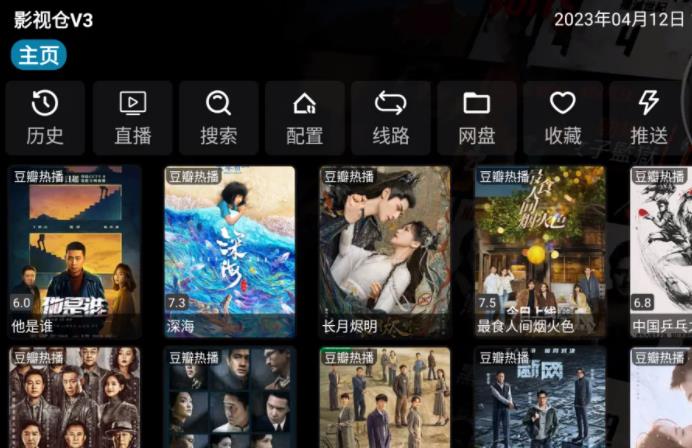
安装完成tvbox、影视仓等软件之后,打开影视仓,点击配置,电视屏幕上会出现含有二维码的配置界面。

一、创建连接。拿出手机扫码(微信和浏览器的扫一扫都可以),电视和手机需要连接同一个WiFi,不然手机扫码会失败,打不开链接。

二、接着点击手机屏幕下方的配置字样,会出现配置仓库、线路和直播源的界面。
复制分享的文档仓库地址或线路地址输入地址栏,名称可以随便起,或者不填,会使用默认的名称。(地址放在文章开头)

三、然后点击推送,同时查看电视的配置界面。
配置成功则会出现相应的仓库名称,可以选中并选择线路;配置失败则会出现接口拉取失败的提示(配置失败说明该仓库或者线路无效,需要更换地址之后重新配置)。

四、配置成功后,可以切换线路,尝试仓库中多个线路的使用效果,选择一个效果比较好的线路,也可以用上面的步骤单独配置线路。

五、线路自由选择。 选择线路之后,默认是第一个首页数据源,而且不会弹出弹窗让你选择。
这个时候要按电视遥控器上的菜单键(就是三条横杠的那个按键),然后会弹出“请选择首页数据源”的窗口。更换数据源之后,可以看到主页界面已经变了,不同线路的数据源都不同,根据需要自己选择。


做完这些之后,就可以选择自己喜欢的节目看电视了。
以下提供了一些影视仓的自定义设置操作:
在影视仓的设置里面可以进行自定义设置,包括单独配置直播地址和线路地址,若无需要,保持默认设置即可。

需要注意的是,在设置里手动选定直播地址之后,再更换仓库和线路不会改动直播地址,所以想要换个直播源,就需要手动去设置里去切换。

另外,在播放器设置这里,默认是Exo播放器,如果经常看直播的话,可以更换IJK播放器,因为Exo在直播方面稍微差一点,不过日常观影的话,可以选择Exo播放器。

自用源亲测可用持续更新ing
2026年10月最新更新
2026年最新TVBox 源地址 单仓地址接口 地址源接口
TVBOX地址源(体验试用地址)
https://6.180189.com/?source=json
TVBOX地址源(正式源参考样式):
https://6.180189.com/?source=json&token=RLURVZRA 正确样式
https://6.180189.com/?source=json&token=授权码 需取得唯一授权码
授权码获得地址:
https://6.180189.com
TVBox原版软件下载地址
https://share.feijipan.com/s/iDdFNsdF
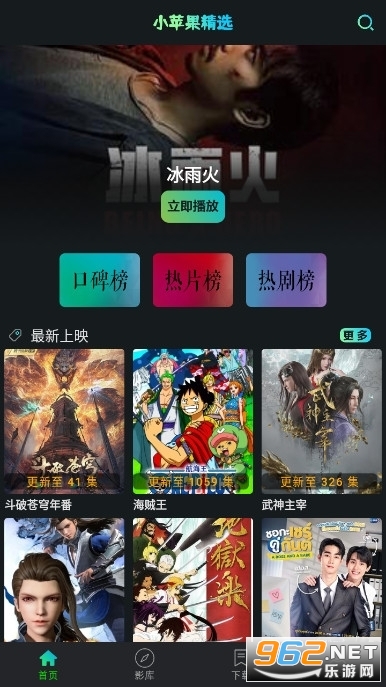
小苹果影视免费版本-已内置地址源-安装即用
下载地址:
2、本站一切资源不代表本站立场,并不代表本站赞同其观点和对其真实性负责。本站一律禁止以任何方式发布或转载任何违法的相关信息,访客发现请向站长举报,本站资源仅供学习与参考,请勿用于商业用途以及违法使用。
3、本站大部分下载资源收集于网络,该资源仅供学习和研究传播,版权归原作者所有,若为付费资源,大家请在下载后24小时内自觉删除,一切关于该资源商业行为与站长及159e资源网(www.159e.cn)无关。
4、请勿将该软件进行商业交易、转载、商业用途等行为,该软件只为研究、学习所提供,若作商业用途,请到原网站购买,由于未及时购买和付费发生的侵权行为,与本站无关,该软件使用后发生的一切责任和问题与站长及159e资源网(www.159e.cn)无关。
5、本站所有资源都来源于网络收集或转载!如果侵犯了您的权益,请及时告知我们,我们即刻处理!本网站的文章部分内容可能来源于网络,仅供大家学习与参考,如有侵权,请联系我们予以删除!如本站不慎侵犯您的版权请联系我们,我们将及时处理,并撤下相关内容!(E-mail:334635982@qq.com)。






![表情[ganga]-159e资源网](https://www.159e.cn/wp-content/themes/zibll/img/smilies/ganga.gif)


暂无评论内容